

No Products in the Cart


Laser ceramic ring cracked or loose: symptoms, checks and replacement
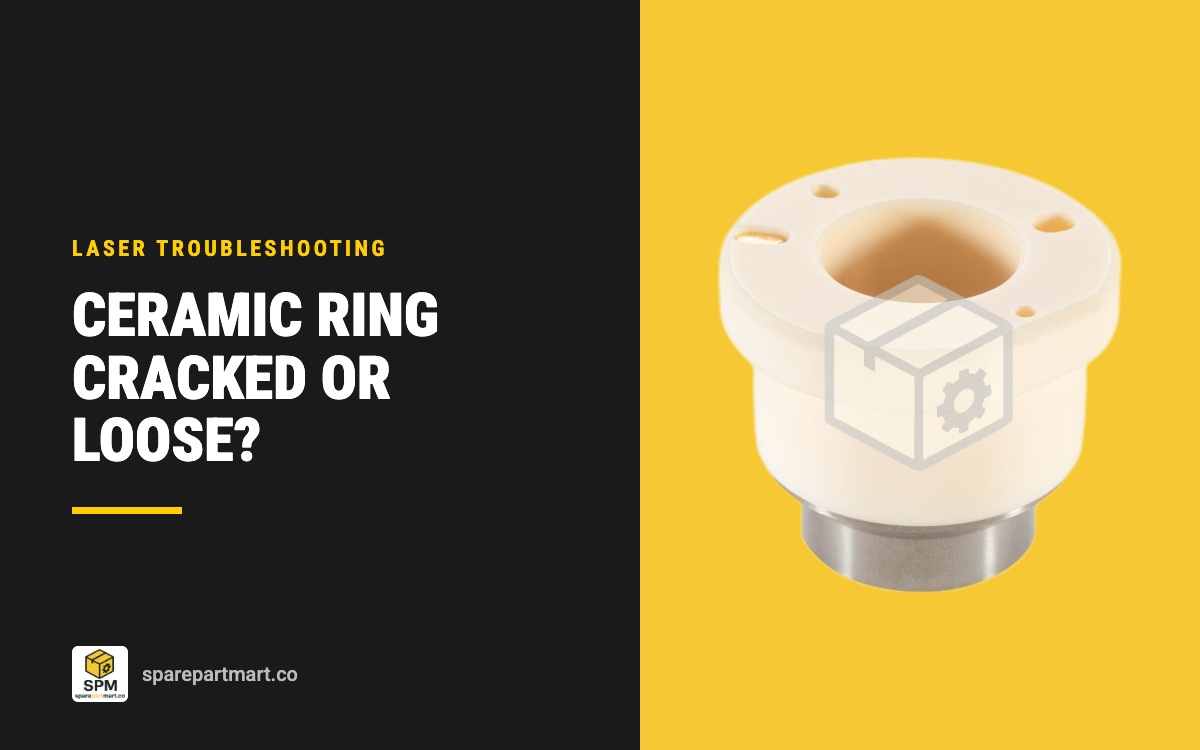
A cracked, chipped, dirty or loose ceramic ring shows up in four ways: height sensing alarms, a head that hunts up and down instead of holding its gap, a nozzle that touches or crashes into the sheet, and cut quality that changes from one part to the next. To find out which it is, take the nozzle and ceramic off and look at the ceramic inside and out under good light. Hairline cracks, chips or arc marks mean replace it. A ceramic that is whole but dirty gets cleaned with acetone and a cotton swab. A ceramic that is whole and clean but was loose gets reseated on its locating pins. Whichever you do, run the capacitance calibration again before you cut, because Raytools makes that mandatory after every nozzle or ceramic change.
What the ceramic ring does
The ceramic sits at the bottom of the cutting head, between the head body and the nozzle. It has two jobs. First, it insulates the nozzle electrically from the rest of the head, so the capacitive height sensor reads only the gap between the nozzle and the sheet. Second, it holds the nozzle concentric with the beam. Trumpf's Australian dealer Headland describes it as part of the control line system that keeps the nozzle at the correct height above the work.
Because it is the part between the nozzle and the head, it is also where a collision lands. A nozzle that hits a tipped up part or a sheet edge passes the blow straight into the ceramic. Machine builder Durma's maintenance schedule ties collisions to shorter service intervals and tells operators to keep nozzles and ceramic rings in stock for that reason.
Symptoms of a failing ceramic
- Height sensing alarms. Raytools says to replace the ceramic body when it is damaged or when the height sensor signal is unstable. Our listings for the Raytools ceramics give the same warning: a cracked or dirty ceramic shows up as height sensing alarms.
- The head hunts or will not settle. An unstable signal means the controller keeps correcting a gap that is not really changing, so the head moves up and down over a flat sheet.
- The nozzle touches the sheet or crashes. If the sensor cannot read the gap correctly, it cannot keep the nozzle off the work. Raytools makes the calibration after a ceramic change mandatory because it stops the head crashing into the workpiece.
- Inconsistent cut quality. Headland lists inconsistent cutting quality as a result of a damaged ceramic. A ceramic that has shifted also takes the nozzle off centre, which gives dross on one side of the cut.
Cracked, dirty or loose: how to tell
Headland's advice is to check the ceramic every time you clean or check the cutting head lens. Take it off the head, then look at both the inside and the outside for hairline cracks or chips. Durma adds looseness and arc marks to the list of reasons to replace it. Work through it in this order.

- Cracked, chipped or arc marked. Replace it. A crack can be fine enough to miss at arm's length, so turn it under a torch and look at the inside bore, the top face around the pin holes and the edge of the thread insert. Do not glue or file a damaged ceramic and refit it.
- Whole but dirty. Spatter and metal dust on the ceramic disturb the height signal the same way a crack does. Clean it with acetone and a cotton swab, as Headland recommends, let it dry, then refit it.
- Whole, clean, but it was loose. Reseat it on its locating pins and tighten the locking sleeve again. Durma lists looseness among its reasons to replace a ceramic, so if it will not stay tight, fit a new one.
Rule out the other causes
A height alarm is not always the ceramic. Before you fit a new one, check the parts around it.
- The nozzle. A loose nozzle leaks gas and gives a poor sensor contact. Raytools says to tighten it snug. A nozzle with a dented or melted tip throws the reading and the cut off too. Our nozzle service life guide covers what a worn nozzle looks like.
- The calibration. If a nozzle was changed and the capacitance calibration was not run, the controller is working from the old reading. Run it again.
- The sensor cable and contacts. When the sensor is reading something other than the sheet, a damaged cable or a bad connection point is as likely as the ceramic. Check the cable for crush damage and the contact pin in the head for bends or burning.
If the alarm stays with a clean, whole ceramic, a tight nozzle and a fresh calibration, the fault is in the sensor circuit, and that is a job for the head maker's service documentation.
How to replace the ceramic
Raytools gives the procedure for its BM114S head and Headland gives the same cautions for Trumpf holders. The steps below apply to any screw on ceramic.

- Switch off the laser and take off the nozzle. Unscrew it counter clockwise.
- Hold the ceramic level and undo the sleeve. Hold the ceramic still by hand and unscrew the pressing sleeve or locking ring. Use only the tool supplied with the machine.
- Check the head side. Look at the electrical contact pin. Headland warns against damaging it, and a bent or burned pin will give the same alarm with a new ceramic.
- Compare old and new. Diameter, height, nozzle thread and the pin hole pattern must all match. The ceramic fits one way only.
- Seat it square. Line the pin holes up with the two locating pins and press the ceramic on flat, not at an angle.
- Tighten the sleeve without forcing it. Raytools warns that over tightening can crack the ceramic. Firm by hand with the supplied tool is enough.
- Refit the nozzle snug so it does not leak gas.
- Calibrate and centre. Run the capacitance calibration, then do a tape test to check the beam is centred in the nozzle. Our nozzle fitting guide walks through both.
Which ceramic fits your head
There are 19 ceramic parts live in our laser ceramic rings range. Match the diameter, height and nozzle thread of the one you take off, and the part number if you can read it.
- Raytools D32 x H12, M14 x 0.75: 120274100B for the BT240 and BMH109, BMH110, BMH111 and BMH114 heads, from see current price each in a 10 pack.
- Raytools D28 x H12, M11 x 0.75: 120515099A for the BT220, BM114, BM115 and BS06K.
- Raytools D41 x H12.9, M11 x 0.75: 120515089A for the high power BS12K, BS15K and BS20K.
- Raytools 3D heads, M8 x 0.75: 120572008B (19.5 mm across) and 120515093A (21.4 mm across) for the small D15 M8 nozzle.
- Precitec ProCutter 2.0 and ProCutter Zoom 2.0: KT XB P0595-94097, 31 mm across with an M11 x 0.75 thread for D28 nozzles, or KT X P0595-92036 for M15 x 1 nozzles.
- BOCI: Y.Z.C0034, 41 mm across and 34 mm high with an M11 x 0.75 thread, for the BLT310, BLT4 and BLT6 heads, and DY.C.A0004AA, 20 mm across with an M8 x 0.75 thread, for 3D and tube heads.
- Trumpf: 254493 / 260432 (31.8 mm across, M8) for square head TruLaser and TruMatic machines, 936678 / 913966 (17.5 mm across, M6) for tube and 3D machines, and the 1906032 universal M12 holder for CoolLine.
- Bystronic: a three piece stack of the 4-01642 top ring (25.8 x 4 mm), the 4-09010 bottom ring (28 x 6.5 mm) and the 4-01959 cone (26 mm across).
Not sure which one you have? Send a photo and any number on the part through request a quote and we will match it.
Keep a spare on the machine
A ceramic does not wear out on a schedule. It lasts until it cracks, gets an arc mark or takes a collision, and none of those come with warning. A machine that stops on a height alarm with no spare ceramic stands until one arrives, which is why Durma lists ceramic rings next to nozzles as parts to keep in stock. Most of our ceramics come in packs of 5 or 10 for that reason. Keep the spares in their packaging, away from metal dust, so they are clean when you need them, and keep nozzles in the same drawer: our guide to single and double layer nozzles covers which ones to stock.
Frequently asked questions
Can I keep using a ceramic with a small chip on the outside edge?
No. Headland's instruction is to replace the ceramic if there is any damage, and Durma lists hairline cracks and chips as reasons to replace. A chip can hide a crack running into the body.
Do I need to calibrate after changing only the ceramic?
Yes. Raytools makes the capacitance calibration mandatory after every nozzle or ceramic change, because the new part changes what the sensor reads.
Why do I still get a height alarm with a new ceramic?
Check that it is seated flat on both locating pins, that the contact pin in the head is straight and clean, that the nozzle is tight and undamaged, and that the calibration has been run. If all four are right, look at the sensor cable and connections.
Do I replace all three Bystronic ceramic parts together?
Replace the part that is cracked, and check the other two while the stack is apart. The top ring, bottom ring and cone work together to insulate the nozzle body, so a collision that cracks one can mark the others.
How do I clean a ceramic?
Acetone on a cotton swab, inside and out, then let it dry before refitting.
